
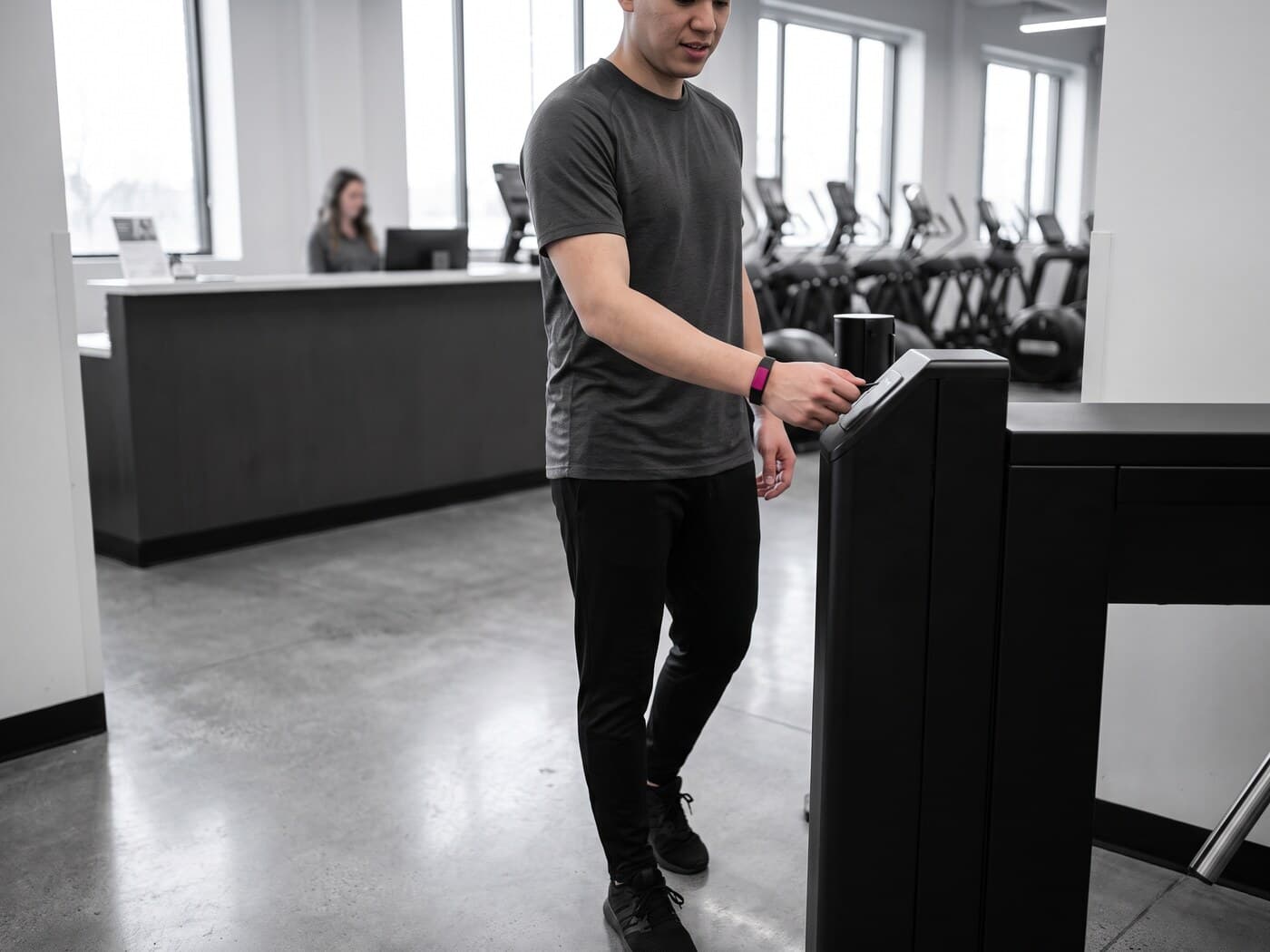
You set the limit once and the turnstile enforces it every time they come in
You define the access limits once: access, time slots, activities, services and spaces. The turnstile and the app apply them on their own, with the exact reason on screen as soon as something doesn't add up.
A fee rules over access, time slots, activities, services and spaces
You set the limit once, in the fee's file. After that nobody has to say it at the front desk: the turnstile applies it and the app applies it, on their own.
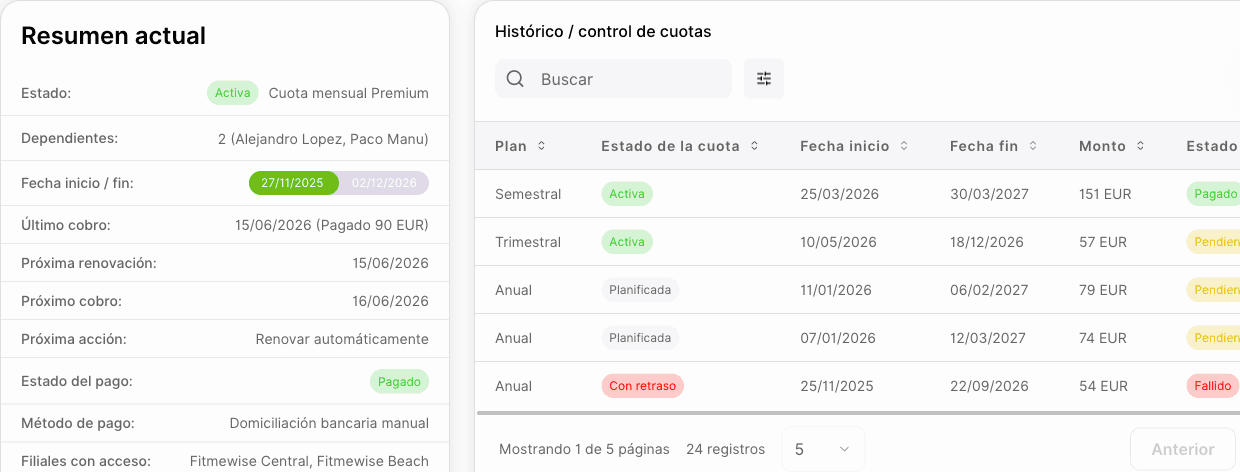
- Access, days of the week and time slot — and the slot can change depending on the facility
- Two layers of caps: the total of group activities, and separately how many can be spinning
- What isn't used this month rolls over to the next, with the expiry you set
All the limits, and how they are counted
- Access and turnstile zones — 12 entries a month, counting only those granted, never denied attempts; and the plan also decides which zones of the branch the door opens to, not just whether it opens.
- Days of the week and time slot — a «mornings» fee Monday to Friday until 15:00, and the slot can be different per facility: the gym floor at any time, the pool only in the morning.
- Two layers of caps, not one — at the top, the total per family: 8 group activities a month, 2 professional services, 4 uses of spaces. Underneath, the finer cap per specific type: of those 8, a maximum of 4 spinning.
- By service and by space — physiotherapy, osteopathy, nutrition and personal training, each with its own allowance; rooms, courts and pitches, with a cap per type and an aggregate cap.
- Allowance carry-over — the 3 classes they didn't use in August are added to September, and expire whenever you say. It is the difference between a fee the member feels is fair and one that makes them feel they lost money.
- Usage window — weekly, monthly, annual or per billing cycle, calculated live: there is no cron counter that falls out of date. And it is trimmed to the length of the fee: someone who joins on the 13th doesn't start with half their allowance already spent.
The member gets in within seconds and the door knows why
The reader doesn't open blindly: it checks profile, debt, booking, fee and pass in that order. If it doesn't let them through, your front desk sees the exact reason, not an «access denied» that ends in a five-minute argument.
- Facial recognition, fingerprint, dynamic QR from the app, NFC card and PIN
- 24 distinct reasons for granting or refusing, visible on screen
- If the network goes down, the door keeps deciding and keeps opening
How the door decides, step by step
- The order is fixed, and it is a business decision, not a technical detail — active profile, debt, booking, fee and pass, in that order. The pass comes last because it is the only one that spends anything.
- Debt, with three different responses — returned direct debit: they don't get in, and no grace days. Failed charge: they don't get in, unless the branch gives them grace days and they are within them. Charge in progress on the payment gateway or in the SEPA batch: they get in, because it isn't the member's fault that the bank is slow.
- With a booking they get in without using allowance — within the window you define before and after the session, and you decide whether they can enter once it has started.
- If the fee doesn't give access, the door says which of the four reasons it is — paused, not started yet, expired or canceled, and that is sorted at the front desk in twenty seconds. On the way out it is never denied: if something is pending, they are let through and told to stop by the front desk.
- Passes — one is used per day, and the system spends the one that expires soonest first.
- Identification and readers — facial recognition, fingerprint, reader QR, dynamic QR from the app, NFC/RFID card or PIN, with EBKN EN-K190 and EN-D808 readers (1,500 and 5,000 users) that hold who may enter, on which dates and in which time slots: they decide on their own if the internet goes down.

The unusual case is solved on that member, not on everyone else's fee
The unusual case doesn't force you to touch the fee of the other hundred members. It is solved on that member, case by case, and the result is the same whoever is at the front desk.
- Grace days per branch for a failed charge
- Access passes: the one that expires soonest is spent first
- Every granted entry is recorded with its reason, ready to review later
What is recorded for each pass through the door
- Every attempt is saved, granted or denied, with the exact reason out of the 24 in the catalog. When a member says «they didn't let me in on Tuesday», there is an answer.
- Only granted entries count against their limit. A denied attempt doesn't use up an entry.
- Live branch occupancy — how many people are inside right now.
- Capacity per zone: not yet. You can declare the maximum capacity of each zone, but today the turnstile doesn't deny entry for being full. It is pending, and we tell you rather than let it slide.
LAIA answers for the member
LAIA is the AI assistant in the member's app: she tells them how many sessions they have left on their fee, whether they still have spinning allowance this month or why the turnstile didn't let them in, without them having to call you or stop by the front desk.
What people tend to ask about this module
Can I limit how many spinning classes fit in a fee, even if they have free group-activity allowance?
Yes. You set a general cap for all group activities and, within it, a separate cap just for spinning. When the spinning cap runs out, the rest of the classes in the general allowance remain available.
If a member doesn't use all their classes this month, are they lost?
It depends on whether you switch on carry-over. With carry-over on, what isn't used is added to the following month, with the expiry you decide.
If a member's direct debit is returned, can they still get in?
No. A returned direct debit always blocks access, with no grace days. A failed charge can have grace days, if you switch them on for that branch.
Does the turnstile let people in if the internet goes down?
Yes. EBKN readers hold the full roll — who may enter, on which dates and in which time slots — so they decide on their own even if the network goes down.
Want to see it working?
We'll show it to you with your own case: your fee types, your branches and whatever currently forces you to use two programs.
Request a demo