

Charge, invoice and reconcile the bank without leaving Fitmewise
You switch on the charging methods each branch uses, automate retries after a failed payment and generate the batch XML for the bank. All inside the same platform that manages your fees.
Each branch switches on the charging methods it actually uses
You switch on, per branch, only what is really used there: cash, card or direct debit. Opening a new branch stops being a day of configuration, and at the front desk nobody sees a charging method that doesn't exist there.
- Manual (cash or bank transfer), card and SEPA direct debit, each with its own switch per branch
- Card payments go through Stripe, Azul or Wompi depending on the country
- A new branch can charge from day one, with no manual steps beforehand
The 4 charging methods and how they are switched on
- Global catalog of 4 methods — cash or bank transfer recorded by hand, card, SEPA direct debit and SEPA batch file, with a global switch in addition to each branch's own.
- Switched on per branch, not per company — each branch has its own switch for each method, independent of the others.
- Cash and bank transfer are the same method, recorded by hand — internally they are told apart by the charging provider; card uses the payment gateway (Stripe, Azul or Wompi depending on the country) and SEPA uses the direct debit or the batch file directly.
- Every new branch can charge from day one — until August 2026 the catalog of methods had no starting data and a newly created branch could not charge in any way; this has been fixed.

You define the failed-payment policy, and the system carries it out itself
You say how many times to retry, when to send a warning and what surcharge applies. From then on nobody chases direct debits by phone or keeps count of who is on their second attempt.
- Up to 14 retries, every 2 days, before automatic cancellation at 30
- Advance notice before charging by email or WhatsApp
- A fixed surcharge per return, or a surcharge for each day of delay
The charging policy, field by field
- Retries — how many days between charge retries (2 by default) and how many times before giving up (14 by default), configurable per branch.
- Automatic cancellation for non-payment — after how many days without payment the membership is canceled (30 by default); it runs in parallel with the retries and whichever is reached first wins.
- Advance notice of charge — how many days ahead it warns (1 by default) and through which channels. Today the one that actually goes out is email: the WhatsApp channel can be ticked, but doesn't send yet.
- Penalty, two mutually exclusive modes — a single fixed surcharge if the direct debit is returned, or a surcharge for each day of delay, with its own configurable amount.
- Charge status visible in Fees › Payments and charges — paid, pending, failed, canceled and returned.
Each branch numbers its invoices its own way, and the corrective invoice never touches the original
Each branch has its own series and prefix, and a correction goes out as a new document linked to the previous one. In Costa Rica and Colombia, issuing goes through your tax provider without you having to declare anything separately.
- Simple numbering, by year or with a prefix — you choose per branch
- The corrective invoice is a new document linked to the original, which is never modified
- Costa Rica via GTI (Hacienda) and Colombia via Siigo, integrated into issuing
How invoices are numbered, corrected and declared
- Three numbering modes per branch — running numbering, reset every year (example: 2026-001) or with its own prefix per series (example: FC-2026-001), with a lock so two tills at the same time don't repeat a number.
- Corrective invoices without touching the original — a corrective invoice is a new document, of the credit type, linked to the original invoice; the original invoice stays intact.
- Costa Rica and Colombia, with their tax provider — Costa Rica issues via GTI with the 50-digit Hacienda numeric key; Colombia, via Siigo.
- Tax breakdown per line — each invoice line stores its own tax, not a single VAT for the whole document.
- Tracking status with the tax provider — every status change of the tax document is recorded with its code and the provider's response.
- Branch default VAT: under review. The column exists to set a default tax per branch, but the migration itself marks it as a proposal pending approval; today the tax is set line by line, not per branch.
You generate the bank XML and the return reconciles itself
You generate the collection or payment XML for the bank from Fitmewise. When the bank returns its response file, it is imported automatically, so you know which direct debit failed without opening a statement.
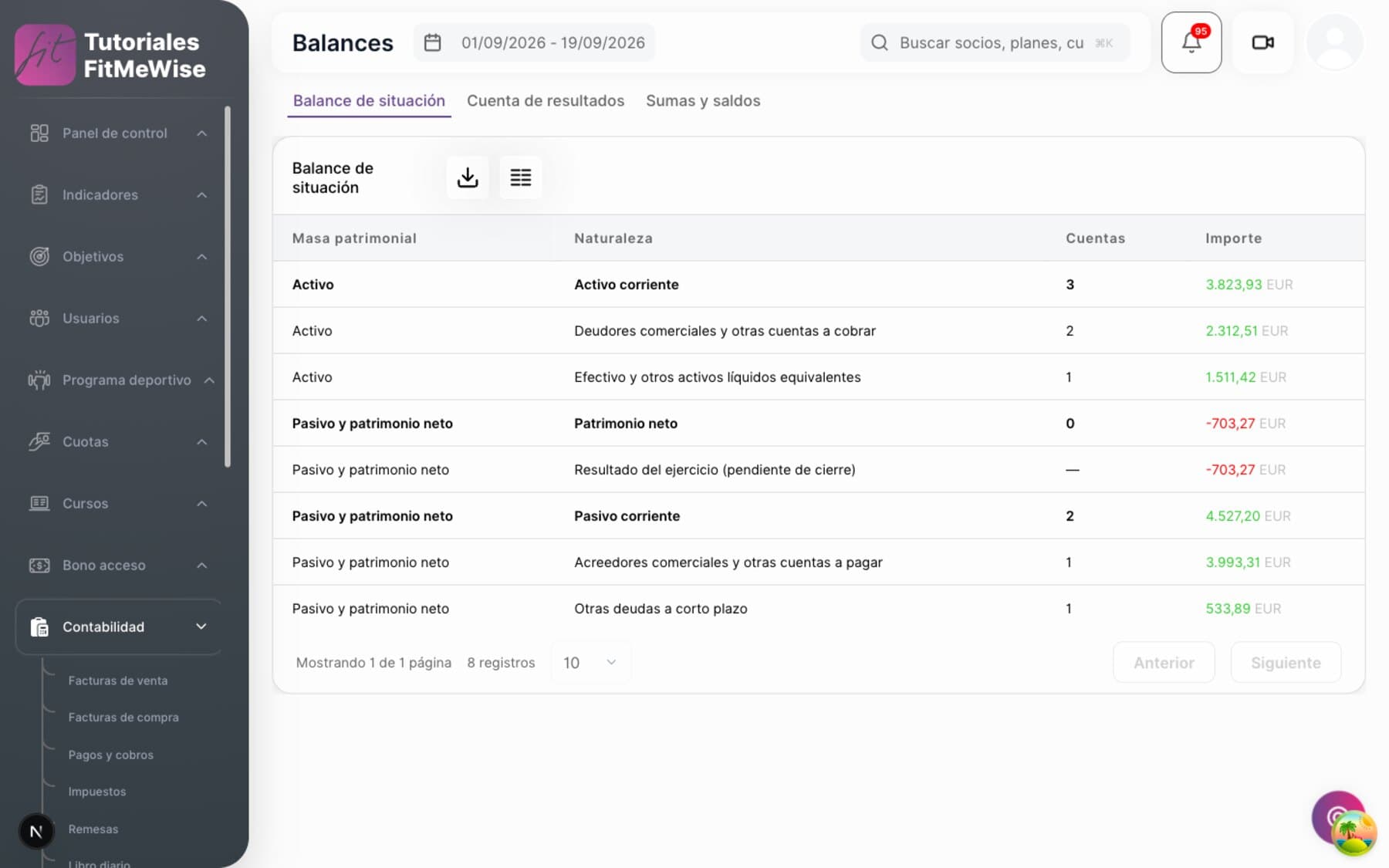
- pain.008 for direct-debit collection, pain.001 for supplier payments
- The pain.002 file the bank returns is imported and reconciled automatically
- Standard SEPA format, accepted by any bank
The three batch files, one by one
- pain.008 — direct debit (collection) — generates the direct-debit XML to submit to the bank.
- pain.001 — transfer (payment) — generates the XML for paying suppliers.
- pain.002 — return reconciliation — you upload the file the bank returns and the system imports which direct debits came back and why.
- Known ceiling: very large batches. Generation is currently synchronous and builds the whole XML in memory; above about 5,000 direct debits in the same batch, the team itself has documented the risk, with the fix (asynchronous generation) not yet built. For the usual volume of a gym it is not a problem.
- A charge's accounting block never travels alone — the batch XML is the payment route for SEPA on fees, passes and store; the other methods are settled directly.
The charge fires by itself on the right date, from weekly to annual
You choose the frequency when you set up the rate and forget about the calendar. Nobody opens a spreadsheet on the 1st to see who is due to pay this month.
- Weekly, fortnightly, monthly, every two months, quarterly, every four months, half-yearly or annual
- A scheduled process checks every day which fees are due and fires them
- Proration of the first charge doesn't calculate the amount yet — it is on its way
Recurrence, and the real state of proration
- 8 frequencies — weekly, fortnightly, monthly, every two months, quarterly, every four months, half-yearly and annual.
- Automatic trigger — a scheduled process checks every day which fees fall due and generates their charge, with no manual intervention.
- Proration: it doesn't calculate the amount yet. When you set up a fee you can choose how the first charge should be prorated — now, at renewal, or charge the full amount without proration — and that choice is saved. But today no charge calculation reads it yet: the amount charged is the full price of the fee. It is the next piece to be built, not something we promise today.
What people tend to ask about this module
Can I charge cash at one branch and only card at another?
Yes. Each branch switches on its own charging methods, with an independent switch per method. It doesn't inherit what the rest of the chain has configured.
What happens if a member's direct debit is returned several times?
By default, it is retried every 2 days up to 14 times, and if it still hasn't been collected after 30 days, the membership is canceled automatically. You can change those three numbers per branch.
Can I issue a corrective invoice without touching the original invoice?
Yes. The corrective invoice is a new document, linked to the original invoice, which always stays intact.
Is the first charge prorated if the member joins mid-month?
Not yet. You can choose how it should be prorated, but today the system charges the full amount of the fee: the proration calculation is yet to be built.
Who processes the payment









 And many more
Want to see it working?
We'll show it to you with your own case: your fee types, your branches and whatever currently forces you to use two programs.
Request a demo