

You register the product once and the sale posts itself
One product, one record, and you decide in which branches it is sold. At the counter, each sale is tied to the till and to whoever takes the payment, and goes into your accounting on its own.
Each variant carries its own price, its stock and its sales channel
You define the product once, and each variant goes its own way: its own price, VAT and stock. You decide whether it's sold in the app, at the counter, or both.
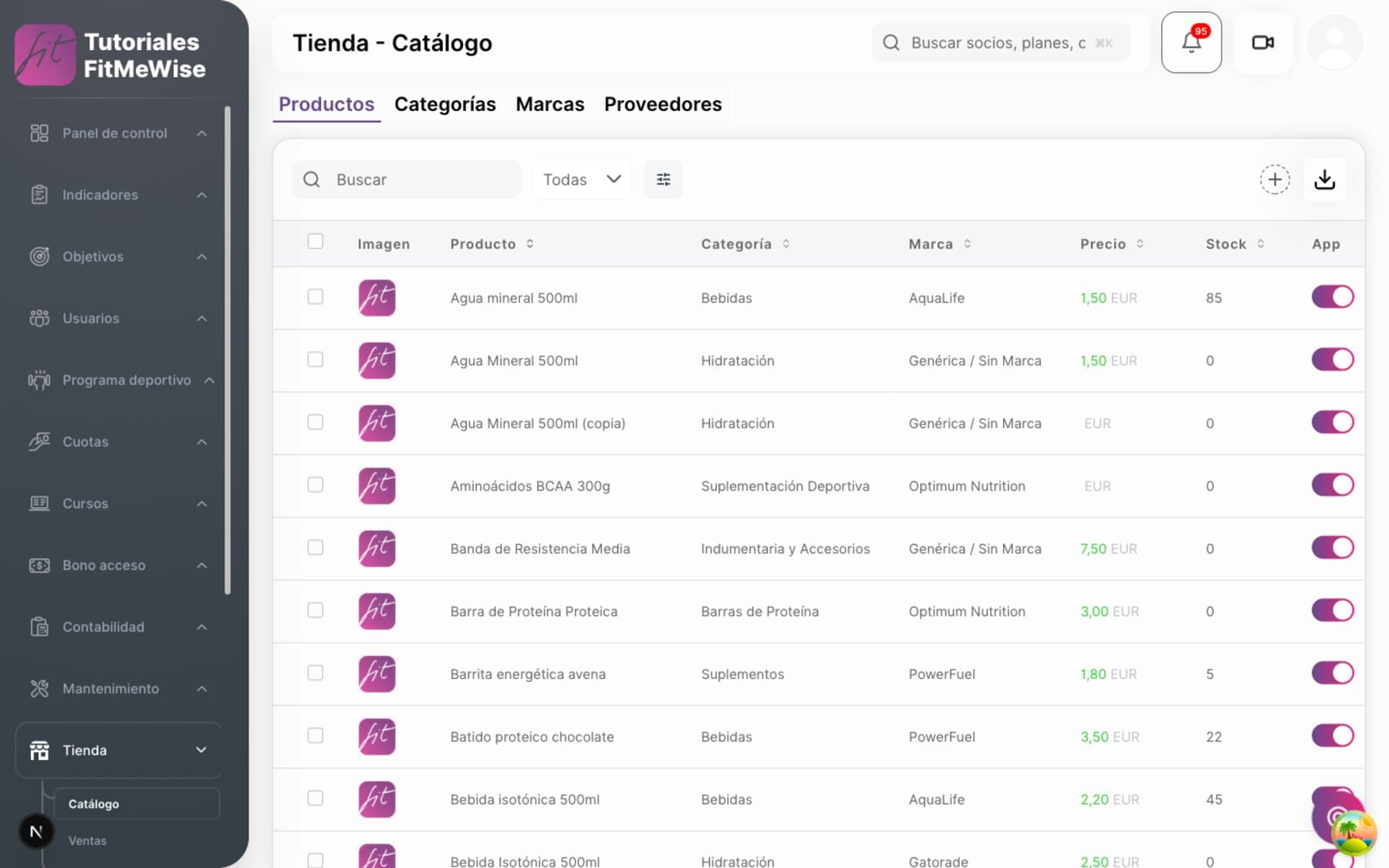
- Stock per variant, with a status: in stock, sold out or pre-order
- Own price and VAT on each variant, not inherited from the parent product
- App and counter switches, independent of each other: turn on whichever you want
How the catalog is organized, field by field
- Stock per variant — each variant has its own reference and status: in stock, sold out or pre-order. You choose the valuation method (FIFO or average cost) and it is saved, but today there is no calculation that values the stockroom with that method.
- Price and VAT per variant — “Size M - Blue” hangs from the product, but sets its own price, its own tax and its own visibility. It inherits nothing from the parent.
- Category and brand — each product carries its own, so the catalog organizes itself.
- Two switches, not one — app and counter are activated separately. You sell something only in the app, only at the counter, or in both. Both start switched on.
- Physical or digital, not yet flagged — the store doesn't distinguish whether a product is physical or digital. That information lives in another module, digital content for members.
You know which till, who took the payment and how much is left to collect
Every counter sale is tied to the open till and to whoever takes the payment, with partial payment if the member leaves a balance outstanding. Members build the basket from the app, but today the payment is completed at the counter.
- Till and cashier identified on every counter sale
- Partial payment: you collect less than the total and the rest stays outstanding
- Basket in the app; payment, for now, is completed at the counter
The sales flow, and what is missing from the app
- Sale with an open till — each counter sale is tied to the till session in progress and to whoever took the payment.
- Partial payment — the sale stores the amount collected against the total, with its own status, so a half payment is not mistaken for a full one.
- Counter checkout, complete — basket, payment and closing work end to end at the point of sale.
- Basket in the app, no pay button yet. Members create the basket and move lines from their phone, but today there is no way to pay for it from there: payment is completed at the gym's counter.

A company-wide product; each branch decides whether to sell it
The product is created at company level, with a unique name. Then, branch by branch, you mark where it is sold, without duplicating the record.
- One product per company, with a unique name
- Availability marked branch by branch, without repeating the record
- Variants travel with the product: if it's in the branch, they all are
How a product is shared out between branches
- The product belongs to the company — each product hangs from a company and is unique by name within it.
- Availability is separate — a dedicated relation decides in which specific branches each product is sold.
- Variants aren't shared out individually — availability belongs to the whole product: if the product is in a branch, all its variants are there too.
You sell at the counter; the journal entry makes itself
Every store sale gives notice when it closes, and the same process that settles fees, passes and bookings records it too. Nobody keys it in twice.
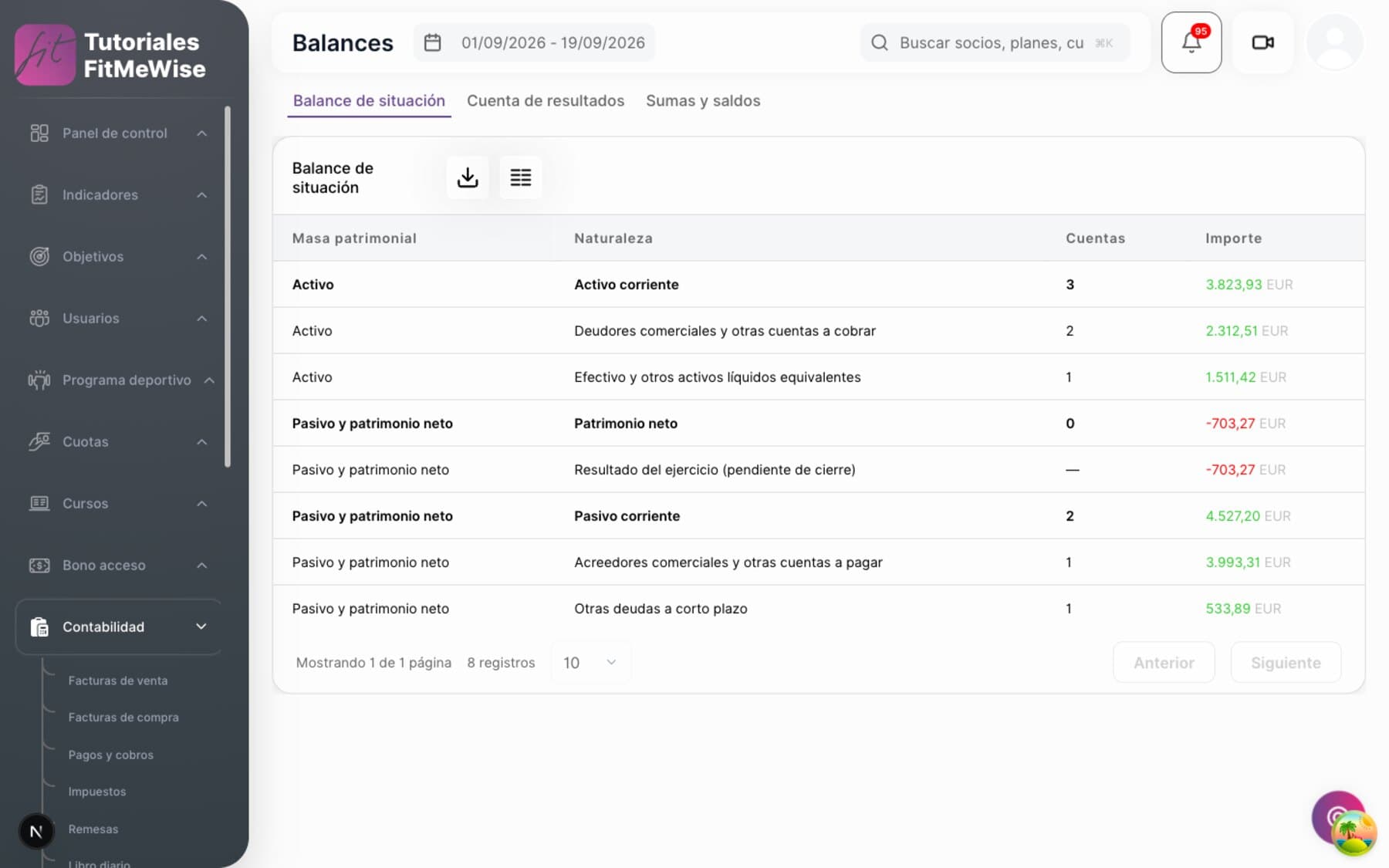
- “Store sale” label on the entry, automatic
- Sale linked to the member if there is one; otherwise it stays anonymous
- Link to a downloadable invoice; whether one is issued depends on the case today
From sale to entry, and the real state of the invoice
- One process for the whole platform — the sale gives notice as soon as it is settled, and the same process that posts fees, passes and bookings also posts store sales.
- Labeled as a store sale — the entry identifies the type: “Store sale”.
- Sale and member, when there is one — the sale is linked to the buyer if they are identified; otherwise it stays as an anonymous or generic counter sale.
- Invoice: the link exists, issuing is not guaranteed. The system knows how to resolve the invoice for a store sale, but today only passes have a tax document guaranteed in every case. Whether a specific store sale ends up invoiced depends on the case.
What people tend to ask about this module
Can I sell a product only through the app, without offering it at the counter?
Yes. App and counter are two separate switches; turn on whichever you want.
Can members pay for the basket from their phone?
Not yet. They build the basket in the app, but today the payment is completed at the gym's counter.
Do I register the same product in every branch of my chain?
No. The product belongs to the company and is created just once; then you decide branch by branch where it is sold.
Does every store sale generate an invoice automatically?
The system knows how to link the sale to its invoice, but today only passes have it guaranteed in every case. Whether a specific store sale issues one depends on the case.
Modules that often go with this one
Want to see it working?
We'll show it to you with your own case: your fee types, your branches and whatever currently forces you to use two programs.
Request a demo